- The AI Musicpreneur
- Posts
- ⏳Your AI images look amateur
⏳Your AI images look amateur
Six elements separate pros from beginners:

The AI Musicpreneur
January 14, 2026
This week, I've got a six-element framework for creating professional music visuals with AI and 3 tools that will rescue your 100GB sample library from digital purgatory.
Many music pros working from home blur the line between work and home, without realizing the cost:
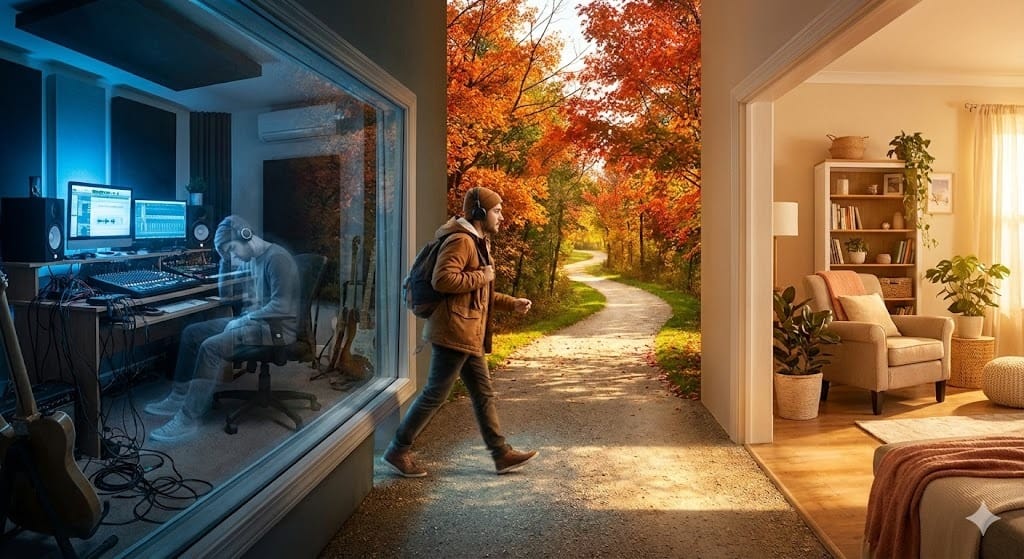
You sit down at your desk in the morning and hours later you're still there, drained and unfocused. Your brain never shifted into work mode.
Two short walks change everything:
One before you start
One when you finish.
They signal clear boundaries your mind craves.
Simulating a commute with daily walks tells your brain when work begins and ends, protecting both your productivity and your personal time.
Now, let’s cut to the chase:
This week in the AI Musicpreneur: ↓
✍🏼 AI MUSIC PROMOTION CORNER:
A six-element framework for generating professional music artwork with AI image tools.
🛠️ AI MUSIC PRODUCTION CORNER:
Three AI-powered sample management tools that turn your chaotic library into a searchable goldmine.
📰 And the latest news shaking up the music tech world.
↓↓↓↓↓↓↓↓↓

✍🏼 AI MUSIC PROMOTION CORNER
Google's Nano Banana Pro changed how I create visuals.

This image was created with 1 prompt and 1 reference image.
I stopped using every other design tool.
Merch designs. Album covers. Marketing assets. Tour posters.
1 tool handles it all.
But here's the problem.
Most people prompt AI image tools wrong. They get frustrated. Give up. Never see results.
I built a framework that fixes this.
Six elements. Every prompt. Every time.
Start with your reference image.
Tell the AI what to keep. What to change. Be specific about faces and features.
Add your text requirements. Artist name. Tour dates. Release info. Specify the style. Bold. Handwritten. Neon. Graffiti.
Define the mood and lighting.
Mysterious? Euphoric? Melancholic? Golden hour or neon-lit night?
Describe your subject:
Solo artist in streetwear. Abstract shapes. Vintage microphone. Include any brand colors and textures.
Set the scene:
Empty stadium. Rain-soaked street. Desert at dusk. Foggy forest.
Choose your visual style:
70s film grain. Y2K digital. Hyperrealistic 3D. Vintage Polaroid.
Pick your camera vibe:
Cinematic and crisp. Dreamy and blurred. Raw and grainy.
This framework works for any use case.
Single covers. Concert flyers. Press photos. Vinyl sleeves.
The difference between amateur AI images and professional results?
Structure.
Stop guessing. Start using a system.
Your next album cover is 1 prompt away.
I need a Nano Banana-style image prompt for a [TYPE: album cover / single artwork / tour poster / merch design / social media promo / music video still / press photo / vinyl sleeve / concert flyer].

0. REFERENCE IMAGE(S)

- What is attached? [e.g., artist photo, mood board, color palette, logo, previous artwork]
- How should it be used? [e.g., replicate the person's face and features exactly / match the color palette only / use as style inspiration / incorporate the logo / mimic the composition]
- What to keep vs. change? [e.g., keep face and hair exactly, change outfit and setting / keep colors, change everything else]

1. TEXT & COPY

- Main text: [e.g., artist name, album title, tour name]
Secondary text: [e.g., tour dates, featuring credits, tagline, release date]
- Text style preference: [e.g., bold and centered, handwritten, neon sign, vintage marquee, graffiti, minimal lowercase]

2. MOOD & LIGHTING

- What feeling should this evoke? [e.g., mysterious, euphoric, melancholic, aggressive, dreamy, nostalgic, empowering]
Time of day: [e.g., golden hour, midnight, overcast afternoon, neon-lit night]

3. SUBJECT:

- Who or what is the focus? [e.g., the artist from reference image, floating hands holding roses, vintage microphone, abstract shapes]
- Key colors or textures: [e.g., all black with chrome accents, pastel and soft, red velvet, holographic]

4. SETTING:

- Where does this take place? [e.g., empty stadium, rain-soaked Tokyo street, desert at dusk, foggy forest, minimalist studio]

5. VISUAL STYLE:

- Pick one or combine: [e.g., 70s film grain / Y2K digital / anime-inspired / hyperrealistic 3D / vintage Polaroid / editorial fashion / lo-fi camcorder / oil painting / neon cyberpunk / minimalist graphic]

6. CAMERA VIBE:

- Pick one: [e.g., cinematic and crisp / dreamy and blurred / raw and grainy / polished commercial / intimate close-up / wide epic shot]

Generate a complete Nano Banana prompt that:

Prioritizes the reference image(s) — use attached reference(s) as specified above before applying other creative direction

Is specifically designed as a [TYPE] with appropriate composition, layout, and text placement
Combines all 5 visual layers (Lighting, Subject, Environment, Style, Technical) into one cohesive paragraph
Includes clear direction for text hierarchy and placement
Considers where the eye should land first for this specific format

Ensure the output feels like a professional [TYPE] and not just a photograph.

Example input:

Type: Tour poster
Reference Image(s): Attached photo of Luna Raye (headshot with natural curly hair, warm skin tone) / Use: replicate her face, features, and hair exactly / Keep: face and hair / Change: outfit, makeup, setting
Text & Copy: Main: "LUNA RAYE" / Secondary: "THE CLOSER TOUR • Midwest 2026" + tour dates / Text style: Modern elegant sans-serif
Mood & Lighting: Intimate, magnetic, late night
Subject: The artist from reference in close-up, intense eye contact, hand on collarbone
Setting: Dimly lit vintage hotel room
Visual Style: Editorial fashion meets cinematic R&B
Camera Vibe: Intimate close-up
Example output:

[REFERENCE] Use attached artist photo as primary facial reference — replicate Luna Raye's face, natural curly hair texture, and warm skin tone exactly; adapt styling and environment as directed below. [FORMAT] Vertical tour poster composition with artist name at top third, tour dates anchored at bottom, intimate portrait commanding center focus. [TEXT] "LUNA RAYE" in modern bold sans-serif, warm gold with subtle emboss, centered at top; "THE CLOSER TOUR • Midwest 2026" in refined tracking beneath; tour dates in clean minimal type at bottom, ivory white. [LIGHTING] Soft late-night artificial glow from camera left, warm amber key light caressing face and collarbone, deep shadows on opposite side, subtle golden rim light in hair. [SUBJECT] Luna Raye (from reference) in intimate close-up portrait, intense magnetic eye contact, one hand gently resting on collarbone, dewy glowing skin, burgundy satin draped at shoulder, sensual confidence in expression. [ENVIRONMENT] Dimly lit vintage hotel room, soft warm bokeh lights in background, intimate and inviting atmosphere. [STYLE] Editorial fashion meets cinematic R&B aesthetic, rich burgundy and warm gold tones, moody and luxurious. [TECHNICAL] 85mm lens, f/1.8, ISO 400, 1/125s, ultra-shallow depth of field, subtle film grain at 4%, 4K resolution, vertical 2:3 poster aspect ratio.
ℹ️ How do you use this prompt?
Copy the entire prompt into Claude AI (use Claude Opus 4.5 for best results).
You will see bracketed sections like [TYPE], [e.g., artist photo], and [e.g., mysterious, euphoric]. Replace these with your specific details — the brackets indicate where you insert your own information, while the examples after "e.g." are suggestions to guide you.
Fill out each numbered section (Reference Image, Text, Mood, Subject, Setting, Style, Camera) with your project specifics.
The AI will then generate a complete Nano Banana-style prompt ready for image generation tools.
🪝 Here’s an example:
A tour poster for Luna Raye’s upcoming Midwest tour in the US.
Here’s the prompt it generated:
[REFERENCE] Use attached artist photo as primary artist reference ; adapt styling and environment as directed below. [FORMAT] Vertical tour poster composition with artist name at top third, tour dates anchored at bottom, intimate portrait commanding center focus. [TEXT] "LUNA RAYE" in modern bold sans-serif, warm gold with subtle emboss, centered at top; "THE CLOSER TOUR • Midwest 2026" in refined tracking beneath; tour dates in clean minimal type at bottom, ivory white. [LIGHTING] Soft late-night artificial glow from camera left, warm amber key light caressing face and collarbone, deep shadows on opposite side, subtle golden rim light in hair. [SUBJECT] Luna Raye (from reference) in intimate close-up portrait, intense magnetic eye contact, one hand gently resting on collarbone, dewy glowing skin, burgundy satin draped at shoulder, sensual confidence in expression. [ENVIRONMENT] Dimly lit vintage hotel room, soft warm bokeh lights in background, intimate and inviting atmosphere. [STYLE] Editorial fashion meets cinematic R&B aesthetic, rich burgundy and warm gold tones, moody and luxurious. [TECHNICAL] 85mm lens, f/1.8, ISO 400, 1/125s, ultra-shallow depth of field, subtle film grain at 4%, 4K resolution, vertical 2:3 poster aspect ratio.Here’s the output:

1 prompt and 1 reference image was enough to generate this image.
🛠️ AI MUSIC PRODUCTION CORNER
You have 100GB of samples collecting dust on your hard drive.
Here is why.
The average producer spends 40% of session time searching for sounds.
You scroll through folders named "Kick_Final_v2" and "Snare_NEW_USE_THIS."
You give up.
You use the same 10 samples. The rest sit untouched.
3 tools fix this problem tonight.
Tool 1: Waves Cosmos:
This AI scans your entire hard drive.
It auto-tags every sample by instrument, key, and BPM.
It works as a standalone app or DAW plugin.
You audition samples in context—auto-adjusted to your session tempo.
Includes 2,500 free samples to start.
Try here.
Tool 2: Algonaut Atlas 2:
This creates a visual "star map" of your sounds.
Similar samples cluster together.
Deep snares in one area. Bright snares in another.
No more digging through folder hierarchies.
It also includes a built-in drum sequencer.
Try here.
Tool 3: Audiocipher MIDI Vault:
This handles both MIDI and audio files.
Tag by key, BPM, genre, instrument, and mood.
Search. Preview. Drag into your DAW.
One-time purchase. No subscription.
Try here.
Pick one. Scan your library tonight.
Tomorrow you make music instead of searching for it.
Which tool are you trying first?
📰 HOT OFF THE PRESS:
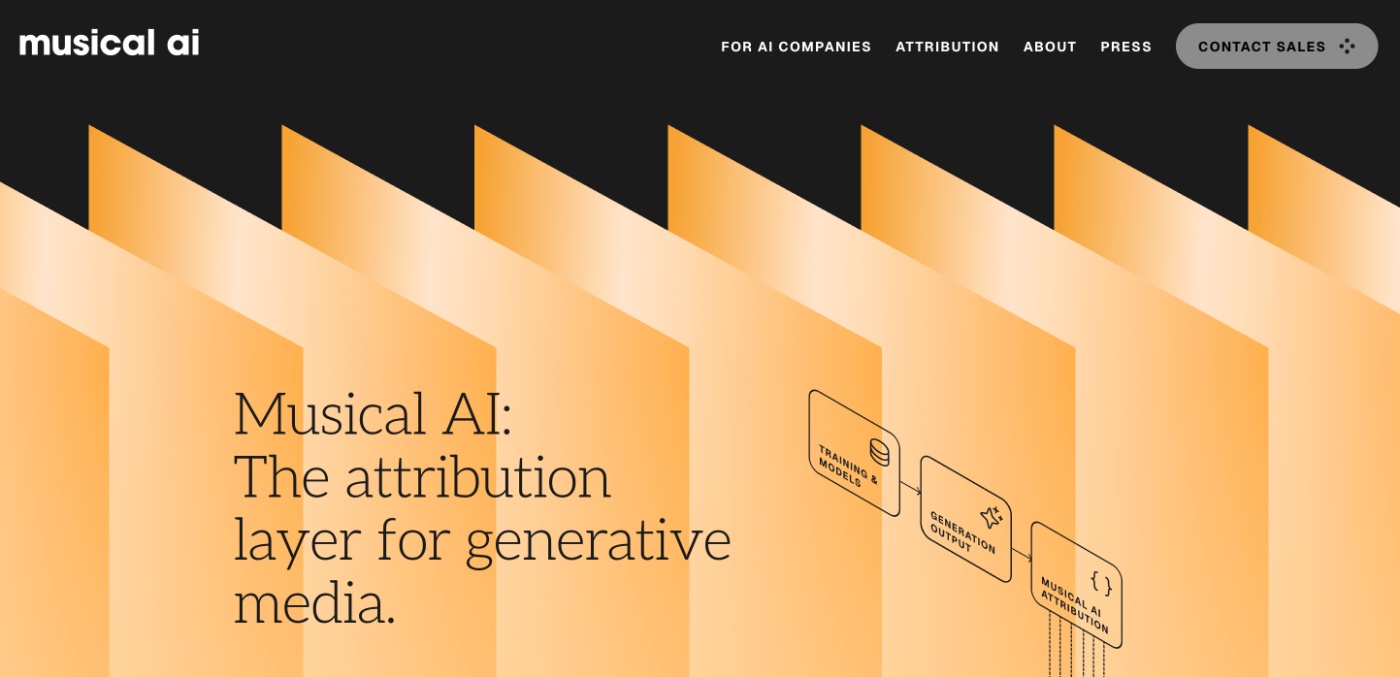
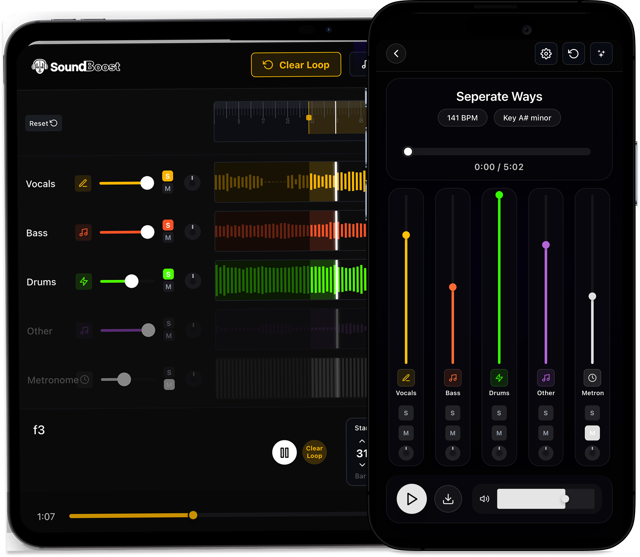
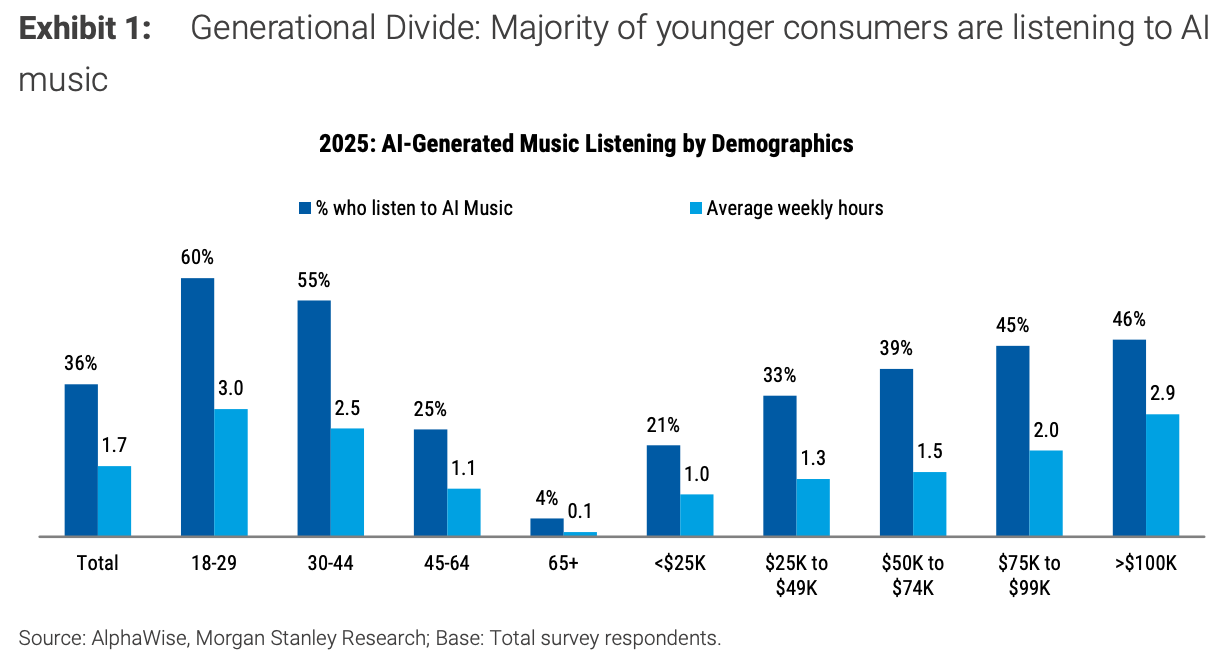
📰 LAST WEEK’S TOP 5 AI MUSIC NEWS
Missed last week’s news? I got you. Here are the top 5 AI music news:

WRAP UP
WHAT YOU LEARNED TODAY:
A short walk before and after work simulates a commute, signaling to your brain when to shift into and out of work mode.
A six-element framework turns amateur AI image prompts into professional music artwork
Three AI tools (Waves Cosmos, Algonaut Atlas 2, Audiocipher MIDI Vault) rescue your sample library from chaos
We’re at the end!
"I am so dead they're going to have to bury me twice." - Les in License to Drive

Peak teen panic. Funny because it's melodramatic.
Totally relatable when your session crashes before saving.
Pick one thing from today's newsletter and implement it before your next session.
Small systems create big results.
Always rooting for you,
-Chris (The AI Musicpreneur)
How was this week's email? |
Whenever you’re ready, there are 2 ways I can help you:
The AI Fanbase Builder: My flagship course and prompt library endorsed by music industry leaders. The AI Fanbase Builder teaches you step-by-step frameworks for growing your audience, getting noticed on social media, and turning followers into paying fans. Come learn proven strategies to build a thriving music career with AI.
Promote your AI tool to 2,000+ music pros weekly: Put your music brand in my newsletter where musicians, producers and industry pros, including Grammy winners and label executives, are already looking for AI music tools and insights each Wednesday.